Little Stories: Bedtime Books
- 4.9
- Rating
- 5.00M
- Installs
- Free
- Price

 Analysis by App-foxy
Reading time with a young child can be one of the calmest parts of the day, but finding stories that hold attention without turning the phone into a noisy distraction is not always easy. I spent time with Little Stories: Bedtime Books to see how well it fits that specific moment. It is a free parenting app from Diveo Media - Story Books for Kids, built around short children’s stories and audio support rather than games, social interaction, or a complicated learning course.
My overall impression is that it works best as a simple reading companion for pre-k children and toddlers. The experience is easy to understand, the age rating is Everyone, and the large audience is reflected in its 4.8 average from around 27 thousand ratings. That does not make it perfect, but it does suggest that the basic idea connects with many families. I would recommend trying it when you want a ready-made story during bedtime, quiet time, or a short waiting period, while keeping realistic expectations about what a lightweight story app can offer.
What the app feels like in everyday family use
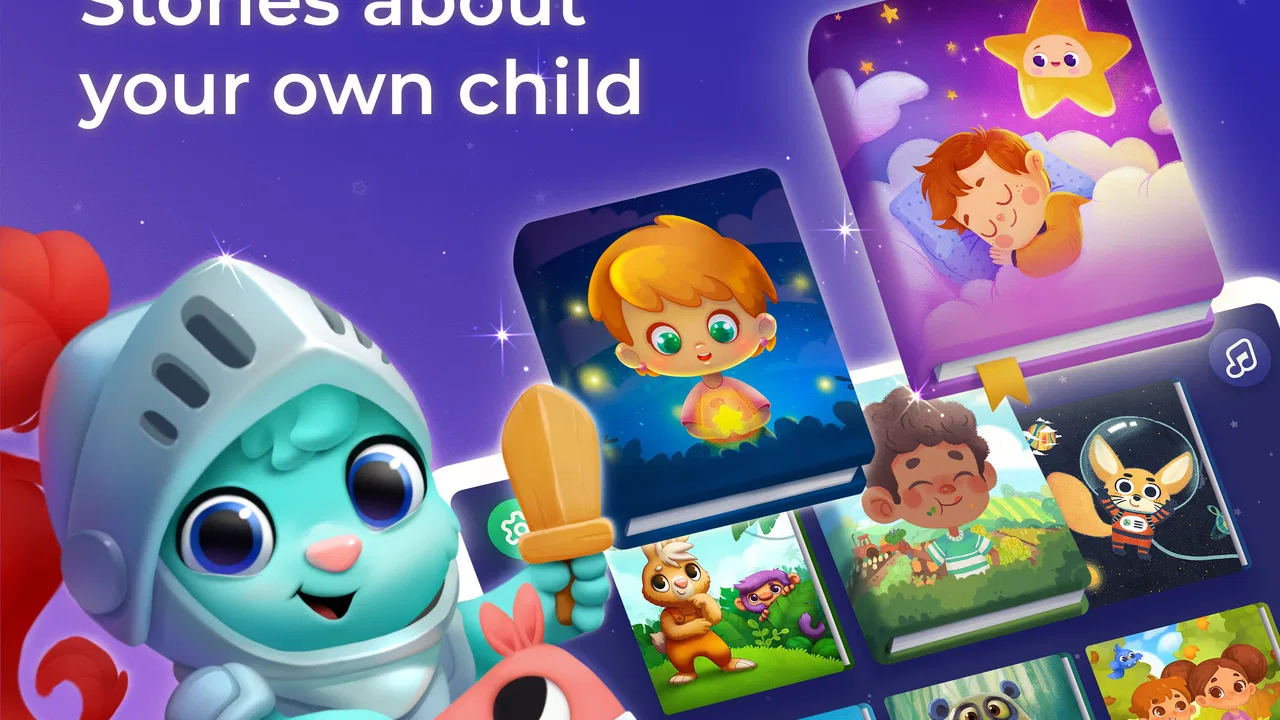
The most useful way to think about this app is as a small digital bookshelf with narration. Instead of asking a parent to search for a long video or manage a full educational platform, it focuses attention on stories for children. That narrower purpose is a strength. A child who is not ready to read independently can still follow along through audio, while an older pre-k listener can begin recognizing repeated words and connecting the spoken story with the written page.
You May Also Like

 Pandora - Music & Podcasts
Pandora’s Music Is Easy to Start, but Harder to Recover
Pandora’s strength is its low-effort path from a seed to a station. Its weak spot is how much confidence it asks you to place in connection, setup, and quiet recovery.

 8 Ball Pool
 Is Built on Rivalries, Rematches, and Routine
A close look at the rivalries, rematches, shared routines, and unanswered safety questions that turn a quick pool match into a persistent mobile community.

 Samsung Music
’s Quiet Strength Is Playing What You Already Own
Its reach comes less from spectacle than from dependable access to a personal library. That simplicity is both the app’s strongest retention engine and its ceiling.

 AccuWeather: Weather Radar
AccuWeather Review: A Quick, Clear Forecast for Everyday Decisions
For everyday plans, the best forecast is the one you can understand quickly. AccuWeather makes rain timing, radar, and local conditions easy to act on, with a few trade-offs.

 Hill Climb Racing
Why Hill Climb Racing Still Turns Crashes Into One More Run
A tiny car, a bumpy hill and one more upgrade: Hill Climb Racing keeps resurfacing because its simple chaos makes every near-miss feel personal.

 AliExpress - Shopping App
AliExpress Makes Global Shopping Feel Personal, but Shoppers Bear the Risk
AliExpress turns a global marketplace into a pocket-sized discovery engine. Its reach is useful, its shopping loop compelling, and its trade-offs easy to miss.
More From Our News Desk
View All News


I found that this makes the app particularly suitable for transitions. A parent can use a story after bath time, before lights out, or while waiting for an appointment. It also has a practical role when the adult is tired and does not have the energy to invent a story or search through a physical shelf. The app does not replace the warmth of a parent reading aloud, but it can keep the routine going on evenings when convenience matters.
A realistic example would be a child who asks for “one more story” after the usual book has already been read. Rather than opening a general video service and risking an endless chain of unrelated clips, I would use this app to choose another short story and keep the activity centered on reading. That distinction matters: the app’s value is not only the story itself, but also the way its limited purpose can make a device feel less distracting.
The store summary describes children’s story books with audio for babies, toddlers, and pre-k listeners, and that positioning matches the kind of use I would expect. It is not aimed at teenagers, independent chapter-book readers, or adults looking for advanced language instruction. Families with very young children are the natural audience, especially those who want a gentle introduction to digital reading.
A straightforward starting point for parents
One of the first things I look for in a child-focused app is whether an adult can understand it quickly. Little Stories: Bedtime Books has a clear purpose, so there is less temptation to explore unrelated areas. That helps when a child is already impatient and wants a story immediately. I would set it up before inviting a toddler to choose, because handing over a phone while still searching can turn a calm moment into frustration.
My practical tip is to treat the app as part of a routine rather than as an always-available entertainment box. Choose a story before bedtime begins, lower the surrounding distractions, and let the child listen or look at the pages. This gives the audio a supporting role instead of making the phone the center of attention. It also helps parents notice whether their child prefers listening, looking, or repeating parts of the story.
Another useful habit is to pause occasionally and ask a simple question about what just happened. Even if the app supplies narration, the adult can still add the conversation that a recorded story cannot provide in the same personal way. Asking a child to point out a character, predict the next event, or repeat a new word turns passive listening into shared reading.
Audio is helpful, but it changes the role of the adult
Audio support is one of the clearest reasons to choose this app over an ordinary digital picture book. A child can hear the story while looking at the pages, and a parent who is cooking, settling another child, or recovering from a long day has some breathing room. That convenience is real, particularly for families who want reading exposure even when an adult cannot maintain a full performance every night.
There is also a trade-off. Recorded narration cannot notice when a child is confused, skip a frightening part, or slow down to explain a word. For that reason, I would not use the audio as a complete replacement for shared reading. The strongest approach is to alternate: let the app carry a short story when needed, then read a physical book together when the child is ready for more interaction.
For children who are beginning to recognize letters, I would keep the sound on but occasionally mute or pause it and invite the child to describe the picture. That creates a small moment of participation without turning bedtime into a lesson. For a child who becomes overstimulated by screens or sound, a paper book is likely to be the better choice, even if the app is convenient.
Where it fits beside familiar alternatives
Compared with a physical bedtime book, the app is easier to carry and can provide narration without requiring a parent to read every line. The physical book still wins for tactile involvement, shared eye contact, and a screen-free routine. I see Little Stories as most useful when portability or audio matters, not as a reason to abandon printed books.
Compared with general video platforms, its story-centered purpose is more appropriate for a reading routine. Video services may offer richer animation, but they can also lead children away from the intended activity through recommendations and unrelated entertainment. A focused story app gives parents a better chance of keeping the session about listening and looking. The compromise is that children who expect animation, fast editing, or interactive play may find it less exciting.
Compared with a larger educational subscription, this app appears easier to approach for a single need: stories for young children. A comprehensive learning service may be better for parents seeking structured phonics, mathematics, progress tracking, or a broad curriculum. I would choose Little Stories when I want story time, not when I need a complete early-learning program.
Trust, controls, and making careful choices
When an app is intended for children, trust involves more than attractive illustrations. I want to know what the child can see, what the adult can control, and how easily an in-app purchase could become part of the experience. Little Stories: Bedtime Books is free to install, which makes trying it less risky financially, but it includes in-app purchases ranging from $0.99 to $59.99 per item. I would review the purchase settings before letting a child browse alone.
That price range is important context for a family decision. A child may understand a large button as “get the next story,” even when an adult sees it as a purchase choice. I recommend that parents handle unlocking content themselves and use the device’s purchase protections. This is not a criticism unique to this app; it is simply a sensible boundary whenever a children’s app offers optional paid items.
The developer is listed as Diveo Media - Story Books for Kids, and the app has been available since December 17, 2017. Its current version is 5.4.3, with support beginning at OS 8.1. Those details make it easier to judge compatibility before installing, especially on an older family tablet that is kept for children. I would check the device version first rather than assuming that any older phone or tablet will work.
The app has passed the scale test in the marketplace, with over five million installs and 435 reviews shown alongside its rating information. I treat that as context rather than proof that it will suit every child. Popularity can tell me that many families have tried it, but it cannot answer the more personal questions: whether a particular child likes the narration, whether the stories match a family’s preferences, or whether the screen fits the household’s bedtime rules.
Permissions and data-sensitive moments
For a child-focused app, I would pay close attention during installation and the first launch to any permission prompts, sign-in requests, and privacy explanations that appear on the device. I would grant only what is necessary for the activity I want to use. If the app asks for access that does not seem connected to reading, I would stop and review the request rather than approving it automatically.
I would also avoid entering a child’s full name, photograph, voice recording, or other identifying details unless the app clearly requires it and I am comfortable with the explanation. A storybook does not need a child’s personal identity to become part of the bedtime routine. Keeping the profile simple is a useful way to reduce unnecessary exposure, regardless of whether the app is free or paid.
The most sensitive moment may be the purchase flow. Adults should look at the wording around paid content, confirm which account is being charged, and make sure the child cannot complete a purchase casually. On a shared family device, I would use the operating system’s purchase authentication and avoid leaving a payment screen open. These steps give the parent control without making the child responsible for understanding commercial decisions.
I would likewise check the app after updates, because settings and visible choices can change over time. The current version is 5.4.3, but a version number alone does not tell me how a family’s settings are arranged on its particular device. My routine would be simple: install or update while the child is not using the tablet, inspect the opening screens, and then decide whether the experience still matches the household’s rules.
How much agency does the child have?
Children benefit from making small choices, but unlimited choice on a phone can quickly become too much. I would let a child choose between two or three stories rather than handing over the whole device without guidance. This keeps the child involved while preserving the adult’s responsibility for time limits, purchases, and the transition to sleep.
For toddlers, I would keep the session short and sit nearby. The app can support independent moments, but young children may tap away from the story, increase the volume, or become focused on the device itself. A parent’s presence makes it easier to return to the page and notice whether the child is enjoying the story or simply reacting to bright movement and sound.
For a pre-k child, I would give more control over the order of stories and invite them to retell the ending. That is a better measure of value than simply counting how long the app holds attention. If the child can remember a character, explain a choice, or connect the story with daily life, the app is contributing to conversation rather than functioning only as screen-based distraction.
Families with children who need accessibility accommodations should test the actual reading experience on their device before building a routine around it. Audio may help a child who struggles with small text, while a child sensitive to sound may need a quieter alternative. I would not assume that a general Everyone rating answers those individual needs; the child’s response is the more useful guide.
Limitations I would consider before installing
The first limitation is that the app’s convenience can encourage parents to use it as an automatic substitute for their own voice. That is understandable on busy evenings, but the richest bedtime experience usually includes conversation, questions, and physical closeness. I would use the app to support those moments, not to remove them whenever possible.
The second is the screen itself. Even a calm story can keep a child visually engaged when the goal is winding down. If your household has a strict no-screen bedtime rule, a printed book or an audio-only option will fit better. The app is most convincing for families who already accept a small amount of supervised screen use and want that time to have a clear reading purpose.
The third is the presence of optional purchases. The free entry point is helpful, but parents should not confuse free installation with a completely purchase-free experience. I would make the adult the gatekeeper for any locked material and decide in advance whether spending money on additional content makes sense for the family.
Finally, this is not the right tool for every learning goal. It will not be my first recommendation for a child who needs systematic reading instruction, detailed progress reports, or a broad collection of educational activities. In those cases, a dedicated literacy program, library service, or teacher-guided resource may offer better structure. The app’s narrower focus is useful precisely because it does not try to be everything.
My cautious recommendation
I came away seeing Little Stories: Bedtime Books as a practical, focused option for parents who want young children to hear and explore stories with less effort than a full reading session requires. Its free starting point, Everyone age rating, audio orientation, and clear parenting purpose make it easy to test. The strong 4.8 average and more than five million installs add confidence that it is not an obscure experiment, although they should not replace a family’s own trial.
I would recommend it to parents of toddlers and pre-k children who need portable story time, especially during travel, waiting periods, or evenings when an adult cannot read every page. I would also recommend using it deliberately: prepare the device, supervise the first sessions, review purchase controls, and keep personal information to a minimum.
I would skip it if your priority is a completely screen-free bedtime, a full early-literacy curriculum, or highly detailed parental reporting. A physical bookshelf, library visit, or specialized learning app may serve those needs better. For everyone else, this is a sensible app to try with clear boundaries. Its best feature is not that it replaces reading; it is that it can make a small, manageable reading routine easier to maintain.
FAQs for Little Stories: Bedtime Books
01What is Little Stories: Bedtime Books and how does it work?
Little Stories: Bedtime Books is an interactive children's app that transforms bedtime into a magical experience. It offers a collection of personalized stories where children can become the main characters. Users simply input the child's name and gender, and the app generates a unique story tailored specifically for them. It's designed to make reading engaging and fun.
02Is Little Stories: Bedtime Books suitable for all ages?
The app is primarily designed for children aged 3 to 8 years old. However, younger children can also enjoy the stories with parental guidance. The interactive elements and engaging visuals make it a delightful experience for early readers, while older kids can practice their reading skills independently.
03Does Little Stories: Bedtime Books require an internet connection?
Little Stories: Bedtime Books requires an internet connection for downloading stories and updates. However, once a story is downloaded, it can be accessed offline, allowing for uninterrupted reading at bedtime or during travel. This feature makes it convenient for parents who want to entertain their children without relying on a constant internet connection.
04Are there any in-app purchases or advertisements in Little Stories: Bedtime Books?
The app offers a selection of free stories, with additional stories available for purchase. While the app is designed to be child-friendly, some content may be locked behind in-app purchases. It’s ad-free to ensure a safe and uninterrupted reading experience for children, giving parents peace of mind.
05How does Little Stories: Bedtime Books support child development?
The app supports child development by encouraging reading and imagination. Customizing stories with a child's name and preferences enhances their engagement and interest in reading. The interactive elements help improve comprehension and cognitive skills, while the diverse story themes introduce children to new concepts and cultures in a fun way.
Pros
- Engaging and interactive stories.
- Beautiful illustrations enhance reading.
- Narration option for young readers.
- Customizable stories with child's name.
- No ads for an uninterrupted experience.
Cons
- Limited free content available.
- Requires internet for full access.
- Some stories lack cultural diversity.
- In-app purchases can be pricey.
- No offline mode for travel convenience.

Little Stories: Bedtime Books
Gallery